The Tesla 2026.2.9 software update is rolling out to cars now. It swaps out some old labels on your screen for new ones that match what the system actually does today. The main goal is to make everything easier to understand so you know exactly what to expect when using Tesla self-driving features.
These changes started rolling out in late February 2026. They affect how features show up in menus and on the big display. Owners who have already received the update say the new wording feels clearer and more straightforward.
What is the Tesla 2026.2.9 update really about?
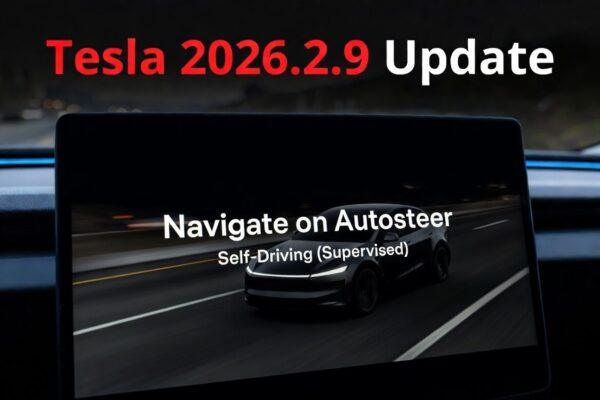
This release focuses more on names than on new driving technologies. In 2026.2.9 Tesla removed most mentions of Autopilot. In their place, you see Self-Driving paired with a clear note about supervision.
The car still steers, changes lanes, and follows routes the same way. But the screen now spells out that you must stay alert and ready to step in.
How do the new names show up on your screen?
Open the controls menu, and you will spot the shifts right away. The old Navigate on Autopilot button now reads Navigate on Autosteer. Tap it, and the car works just like before.
The hardware section that once said FSD Computer now lists AI Computer. This tiny update highlights the smart chip that powers all the vision and planning inside your Tesla.
Why did Tesla drop the old Full Self-Driving label?
The company wants labels that feel honest. The previous name sometimes gave the idea that the system could run completely on its own. New wording stresses that supervision is part of the deal.
This move also aligns with regulatory rules that asked for clearer language.
What does Navigate on Autosteer actually do?
It works exactly like the old feature, depending on your region: Set a destination, and the car handles lane changes, exits, and speed adjustments along the way. The only difference is the fresh name that matches the supervised setup.
You activate it the same way with a stalk tap or via the steering wheel. Nothing about the feel or performance has shifted as far as we can see.
Why the switch to AI Computer branding?
The new label points to the powerful computer that runs everything. It replaces the older FSD Computer tag and feels more in line with Tesla focus on smart tech that keeps learning.
You can see it in the software details or the car status screen. It is a small but clear nod to the hardware that makes all the magic happen.
What hidden change shows up for drivers in Europe?
Owners there spotted something extra during Smart Summon tests. A soft blue underglow appears under the car icon on the screen when you use the feature.
This matches visuals from the latest FSD version 14 code. It acts as a quiet sign that the same advanced planning is at work.
Does the update make driving feel smoother?
The rename itself does not tweak steering or braking. Yet the update appears to bundle FSD version 14 code, which brings a few small fixes.
Early reports from owners point to steadier behavior in busy areas. Summon in Europe feels a bit more natural thanks to that blue underglow code.
Here is what some drivers have noticed so far:
- Fewer sudden pauses around other cars
- Smoother path choices on tight roads
- More confident moves into parking spots
Before and after name changes
| Old Label | New Label |
|---|---|
| Navigate on Autopilot | Navigate on Autosteer |
| FSD Computer | AI Computer |
| Autopilot stats | Self-Driving stats |
| Full Self-Driving | Self-Driving (Supervised) |
FAQ
What is the main point of the Tesla 2026.2.9 update?
Does Navigate on Autosteer work like the old Navigate on Autopilot?
Why switch to AI Computer branding?
What is the blue underglow in Europe?
Do I still need to supervise the system?
This article is for informational purposes. Always refer to official Tesla communications and local regulators for the latest details.